Scan and recognize
Find the product by barcode, with its description, size and photo. Review recorded dates before adding another one.
Give your meat department a clear picture of what needs checking next. Scan products, track their dates, and turn reminders into action on the shelf.
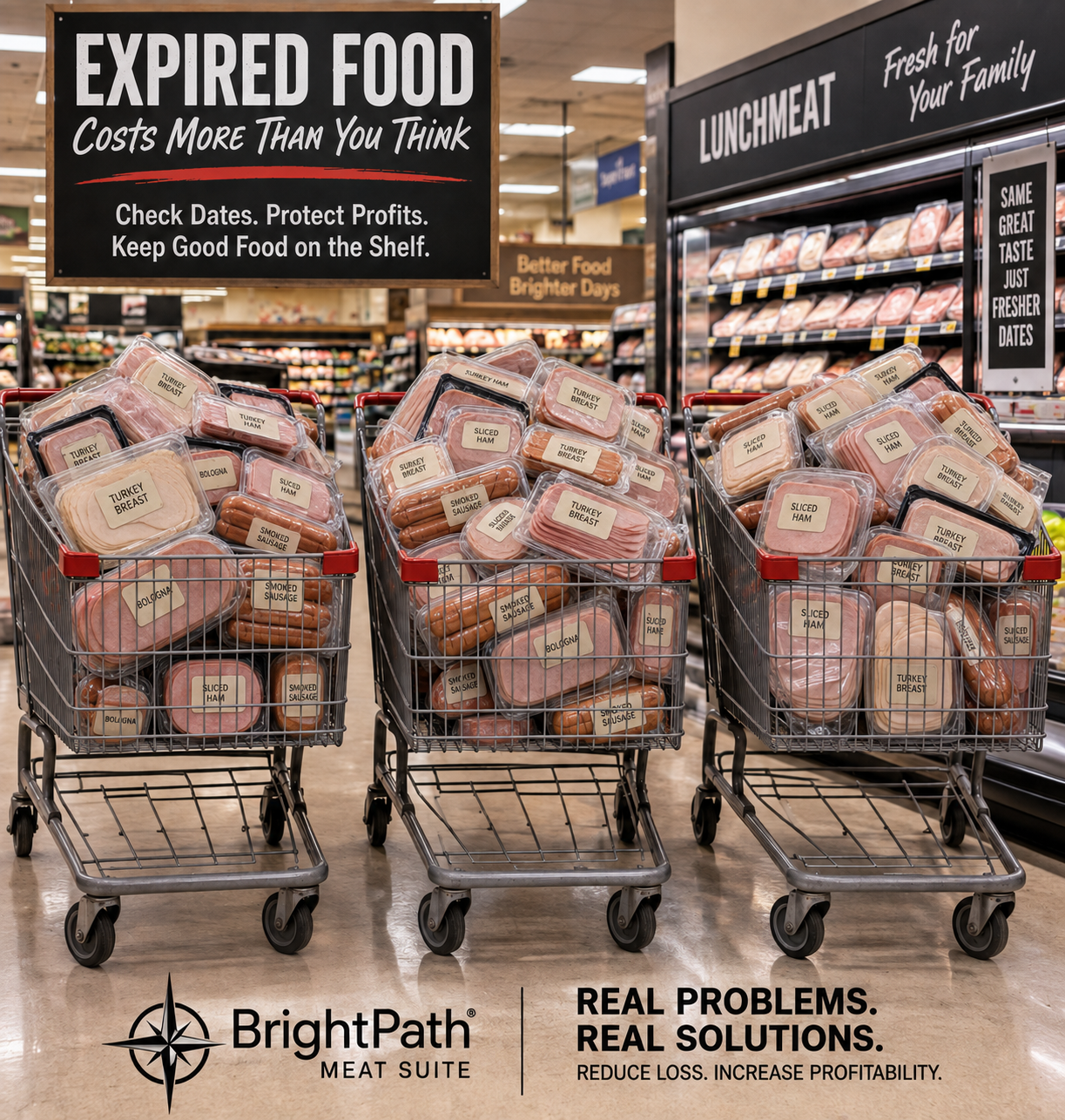
Every delivery can bring short-dated products and more expiration dates to check. BrightPath keeps those dates organized so your team knows what needs attention first.
Find the product by barcode, with its description, size and photo. Review recorded dates before adding another one.
When you enter an expiration date fewer than 7 days from receipt, BrightPath alerts you and reminds you to notify a supervisor about requesting warehouse credit. The product can still be saved and tracked.
Mark a date sold without loss, reduced or discarded after checking the shelf. Other dates stay active, and product information stays in your catalog.
Choose focused date checking or full access to Meat Suite. Both plans are coming at release; subscriptions are not yet available to purchase.
For teams focused on product dates and shelf checks.
For teams ready for the wider Meat Suite workspace.
In active development. Contact BrightPath to discuss release availability and deployment requirements.
Support a consistent shelf-check routine, protect customer trust, and give your team time to act. Select a graphic to read it in full.
Most product dates indicate quality rather than safety. Follow applicable laws, storage guidance and store procedures. Alabama's rules address certain out-of-date food violations and restrict changes to open-date statements, with specific exceptions—not a universal 10-item USDA fine.
Official references: Alabama violation classifications · Alabama open-date restrictions and exceptions · USDA product-date guidance.
General information, not legal advice. No government affiliation or endorsement is implied.
A complete desktop and Android operating workspace for meat departments.
BrightPath's permission-aware AI assistant, beginning inside Meat Suite.
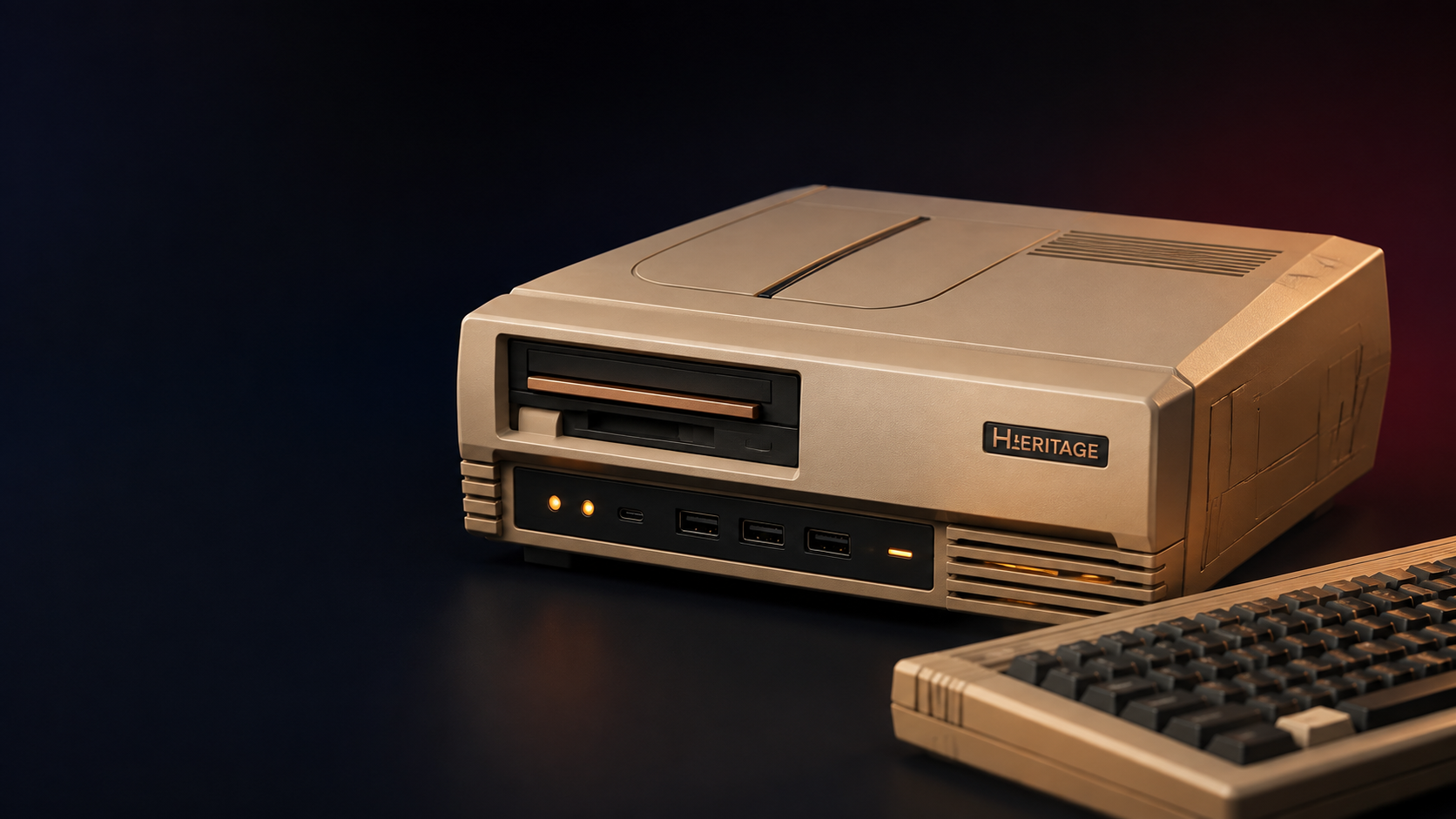
A future-ready computer inspired by the best ideas of classic computing.
BrightPath is being built as a growing family—not a one-product company.
Meat Suite replaces scattered notes, disconnected calculators, and hard-to-follow processes with a clear desktop hub and an Android companion that goes where the work happens.
Search and manage products, PLUs, barcodes, categories, costs, retail prices, status, and scanner-learned entries.
Track distinct product dates, locations, reductions, discards and completed shelf checks. Date Watch is a reminder system, not a live inventory count.
Use markup, margin, yield, and profit calculations to turn everyday decisions into clearer numbers.
Build weekly schedules, manage employees and permissions, handle time-off, and print or export schedules.
Bring together manual counts, catch weights, scanned retail items, bills, and flexible department worksheets.
Keep department email, attachments, account credentials, and important communication inside the workspace.
Manager notes, employee work, shift handoffs, checklists, and daily priorities stay visible and accountable.
Create branded signs and printable documents, monitor alerts, and move useful data through CSV and PDF outputs.
Built-in backup and restore tools help protect the working data that a department depends on.
These are working screens from the current BrightPath Meat Suite desktop build—not generic mockups. Select a screen for a closer look.
The mobile and desktop sides are designed as one practical loop.
A manager approves the Android phone from the workstation.
The scanner receives the product list it needs for fast lookups.
Scan or enter a code, review existing dates, and add a date, location and product photo.
Queued work moves to the desktop for close-date decisions and reporting.
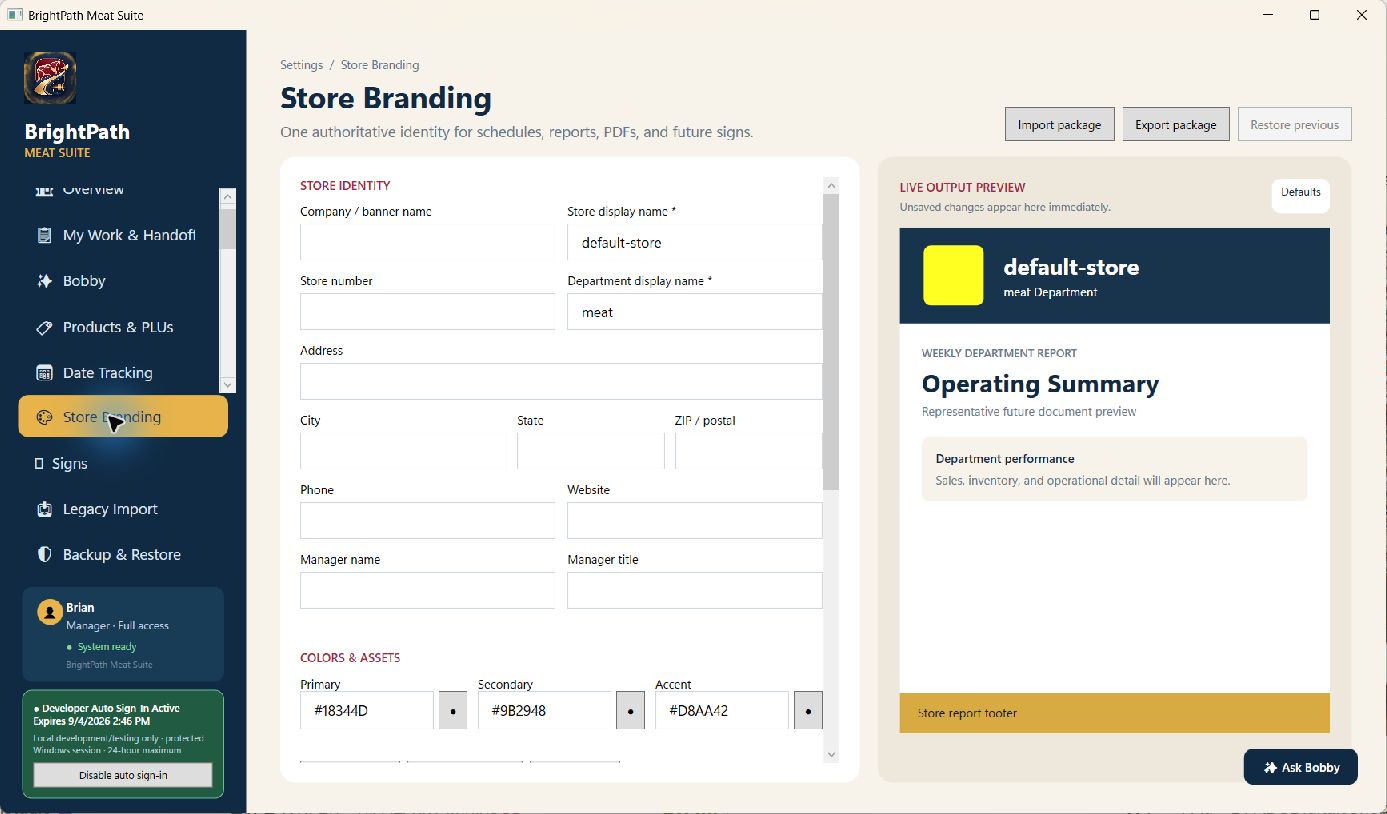
Meat Suite is not locked to BrightPath's colors or name. It is built to carry the identity of the company, store, or department using it—from the on-screen experience to documents that reach employees and customers.
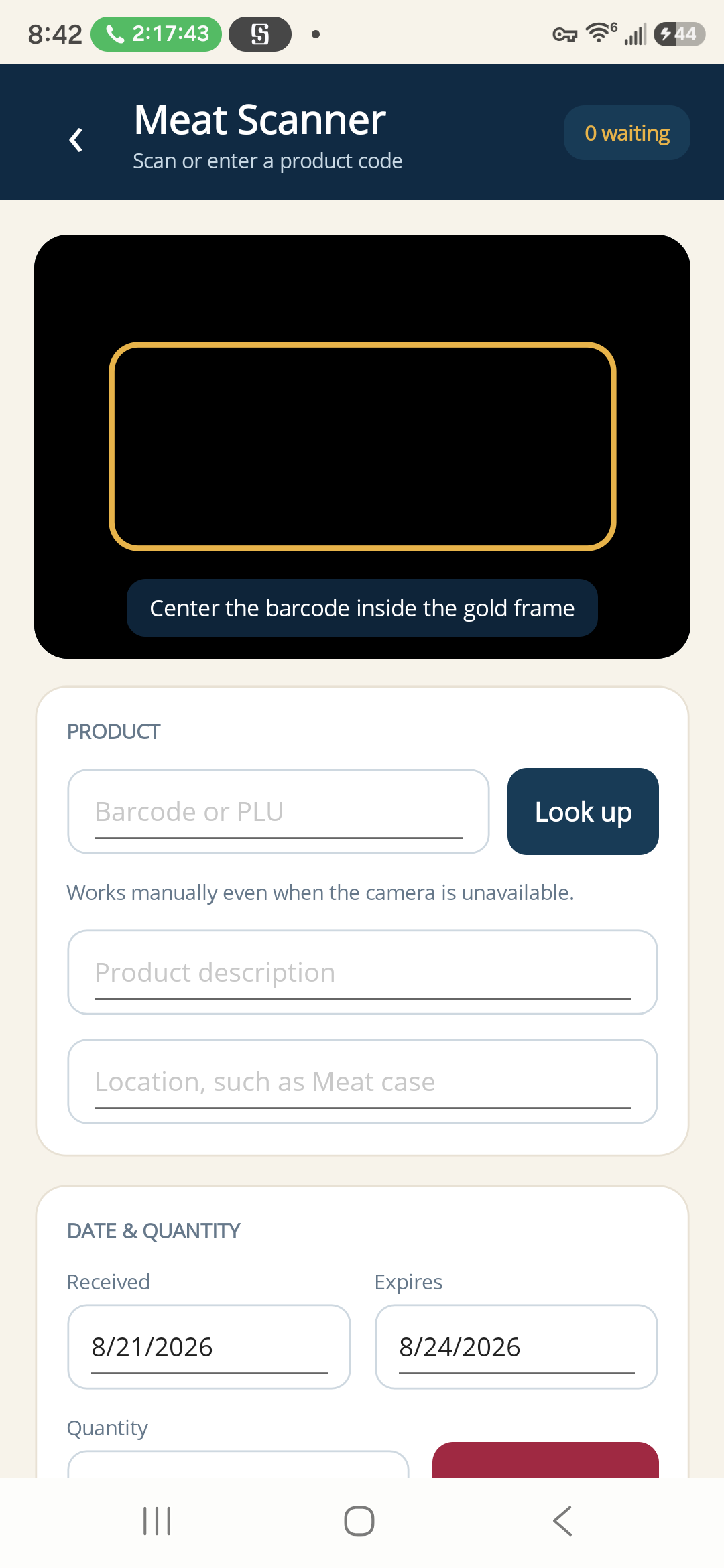
The Meat Scanner companion is designed for fast, dependable use on the department floor. It keeps useful work moving even when the workstation is across the room.
Choose a deliberate scan trigger or automatic scanning to match the environment and avoid accidental partial codes.
Scan UPCs and PLUs with the camera or type a product code when the camera is unavailable.
Captured expiration work is held safely on the phone until it can synchronize with the workstation.
Search the synchronized product list and review close-dated products in list and calendar views.
Add a product image while scanning so the desktop detail view can show what was captured.
The workstation approves devices, distributes its catalog, receives queued dates, and can revoke access.
Keep different dates for the same product and resolve the date you checked without removing the others.
Keep practical markup, margin, and pricing calculations close to the product and the decision.
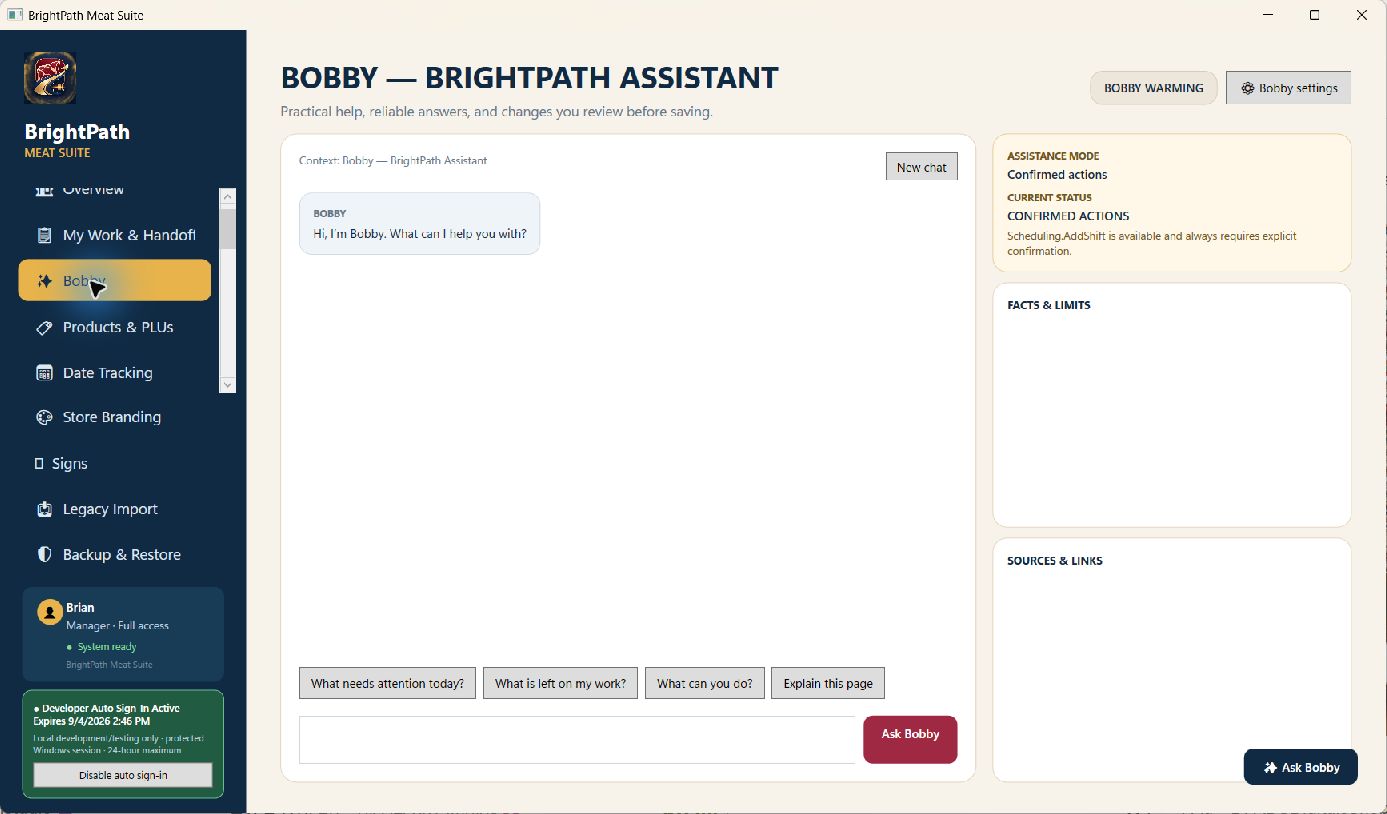
Bobby begins inside Meat Suite as a practical, local-first assistant. It can help explain a screen, navigate the software, surface grounded information, and answer operational questions with the user's role and store context in mind.
A computer concept that respects the character, ownership, and serviceability of classic systems while opening the door to modern hardware and BrightPath software.
The Heritage vision is still being developed. Its future possibilities include:
Every BrightPath product can be different. The principles behind them should remain familiar.
Features should solve a real problem, fit the day, and make the next decision easier to see.
Important information stays understandable, access stays intentional, and consequential changes stay reviewable.
BrightPath is building a connected product family with room for new software, new workflows, and new ideas.